This application is a WRICEF management tool. It functions as a project management tool to facilitate the consolidation,
management of WRICEFs and provides a platform for PMO and development managers to monitor the progress of WRICEF development.
The tool can also be deployed for any customer engagement workshops where users can generate an effort estimate based on
customers’ integration requirements and information input into the system. With the information, users can derive total
days/hours required to build the WRICEFs as well as provide quick estimates on number of resources required. The tool uses
standard effort estimates as used by SAP SDC. These effort estimates can also be adjusted via an administrator profile.
The tool can also be deployed for any customer engagement workshops where users can generate an effort estimate based on
customers’ integration requirements and information input into the system. With the information, users can derive total
days/hours required to build the WRICEFs as well as provide quick estimates on number of resources required.
The tool uses standard effort estimates as used by SAP SDC. These effort estimates can also be adjusted via an administrator profile.
STANDARD FUNCTIONS
Standard functions area available to all users.
Select a project
View/Edit WRICEF log entries
View/Edit WRICEF Notes
View/Edit Development Notes
View all reports under Reports and Charts
View/Edit Defect List
Change Password
ADDITIONAL FUNCTIONS
These functions are only available to specific profile users.
Create new WRICEF (only applicable to Administrator profile)
Create new WRICEF Notes (only applicable to profile Consultant and Administrator)
Create new Development Notes (only applicable to profile Developer and Administrator)
PROJECT MENU
Setting up a project folder is mandatory when starting a project. The project folder is meant to contain all the project parameters and WRICEF object information.
Accessible only with Administrator profile
Define new project
Edit/ Update Project ID, Code and Description
Remove Project
After the project folder is created, users are subsequently created and assigned into the project folder. Users will only be able to access that specific project folder.
DETAILED INFORMATION OF EACH FUNCTIONALITY
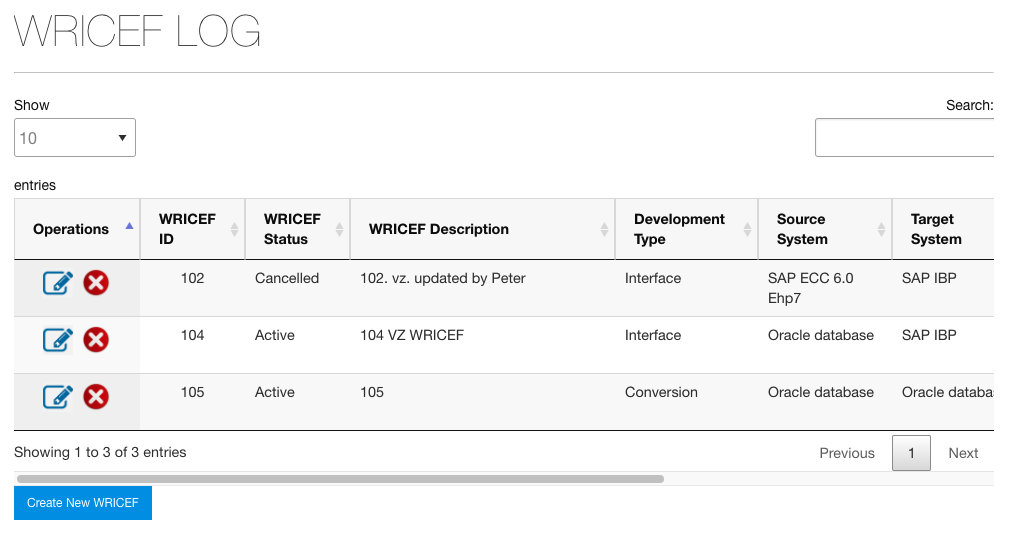
WRICEF
This is where you create, edit or cancel a WRICEF object entry
REPORTS AND CHARTS
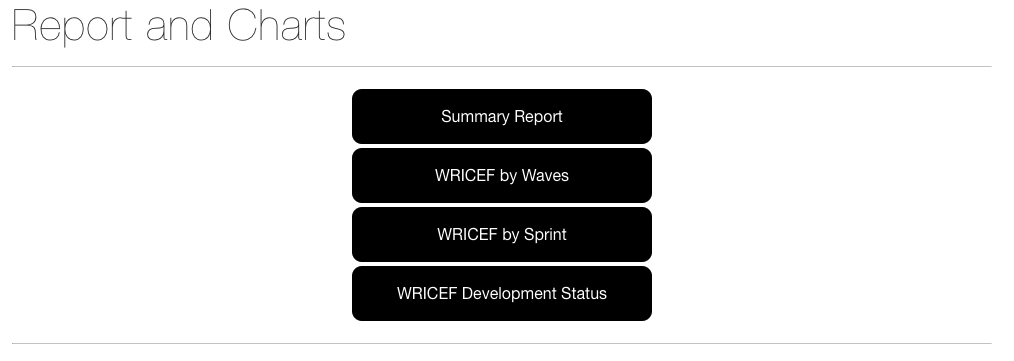
There are currently four (4) reports available
Summary Report: WRICEF Overall Count and Development Status Summary
WRICEF by Waves: Report breakdown by all Wave available for a specified project
WRICEF by Sprint: Report breakdown by all Sprint available for a specified project
WRICEF Development Status: Report breakdown by different development statuses for a specified project
ESTIMATION
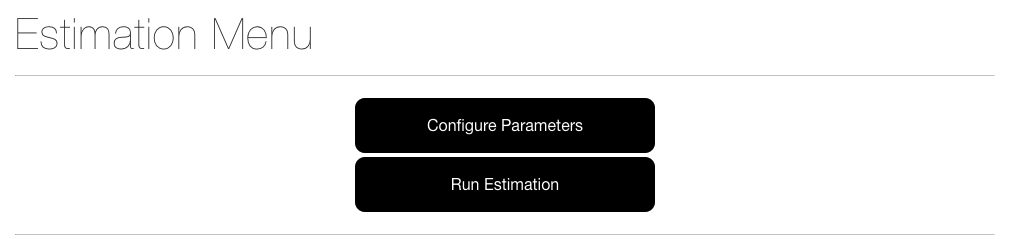
This option is only available to Administrators and it consists of following:
Configure Parameters: Hours assigned to list of activities for each level of complexity
for each type of development object. For example: x hours required to create functional specs for WRICEF object
assessed as Medium complexity
Run Estimation: This option provides the total hours required to build all the WRICEF
maintained in the system. It takes into the account of the complexity of each WRICEF to measure the total hours
required based configured parameters. This option also provides a quick estimation of the total days required to
complete all developments.
MASTER DATA SETTINGS
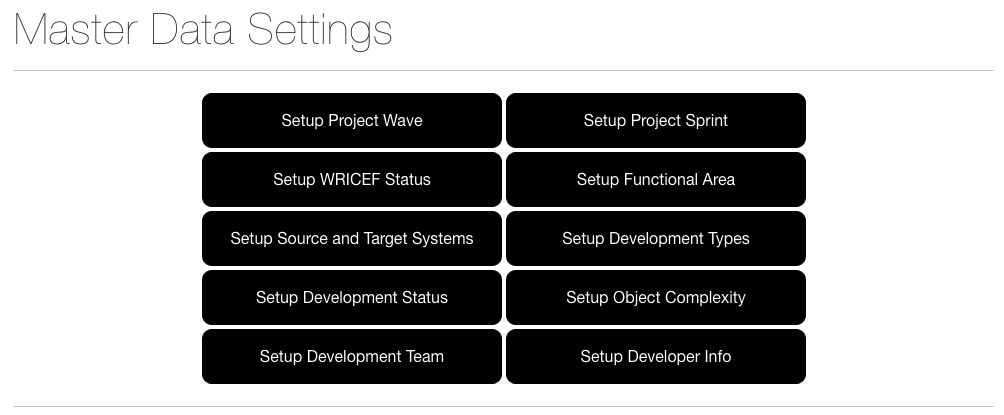
This option requires user to setup all required parameters relevant to creating a WRICEF entry in the system.
Information setup in this module is specific to the selected project.
Setup Project Wave
Setup Project Sprint
Setup WRICEF Status **
Setup Functional Area
Setup Source and Target Systems
Setup Development Types **
Setup Development Status **
Setup Object Complexity **
Setup Development Team
Setup Developer Info
**standard entries maintained in the system. Cannot be changed. If additional
entries are required, please contact the developer or administrator.
MANAGE USERS
This option is only accessible by users with the Administrator profile. Following are the access profiles that
can be created by Administrator.
Administrator: can access all functionalities
Consultant: can only update WRICEF notes in addition to standard functions
Developer: can only update Development notes in addition to standard functions
User: cannot update. can only view in all standard functions
IMPORTANT NOTE:
All users created will only be effective in the selected project shown on top right of the screen
All usernames will be automatically prefix with the project ID (3 characters) as shown in below example
Example:
Project ID: NIK
Project Code: NIKE
Project Name: Nike Inc.
Username created by administrator: JOHN
Username to be used for login: NIKJOHN